
ZoomOn Home Security Camera
Master App SolutionsHouse & Home
4.2309.00 Reviews
- Version
- 5.42
- Installs
- 1.00M
- Age Rating
- Everyone
Screenshots
Our Review of ZoomOn Home Security Camera
 Analysis by Appyee
I judge a home-monitoring app by more than whether a picture appears on my phone. It also has to make sense when I’m in a hurry, be usable on the screen I actually have, and fit the way I want to check in without turning everyday life into a technical project. ZoomOn Home Security Camera is an Android app from Master App Solutions that repurposes a spare phone or tablet as a camera. That approach is appealing if you already have an extra device, though it comes with practical limits that are easy to overlook when thinking only about the live view.
Getting a spare device ready for everyday use
The basic idea is straightforward: set up the app on the device that will stay at home, then use another device to check in. Before relying on it, I would choose a stable place for the camera phone, make sure it can remain powered, and test the view from the spot where I’m likely to check alerts. A careful test matters more than a clever mounting position: a camera pointed at a doorway may miss the part of a room I actually need to see.
A realistic use is checking whether a pet has settled down while I’m out, or taking a quick look at a room after hearing an unexpected noise. For a short absence, that can be more useful than setting up a whole separate camera system. For a longer period, I’d think about who can reach the device, whether it can stay in its chosen position, and whether I’m comfortable depending on two phones rather than one purpose-built unit.
Where it fits among home-monitoring choices
Compared with a dedicated home camera, a reused phone can lower the barrier to trying basic monitoring because the main hardware may already be in a drawer. The trade-off is that a phone is not designed to sit indefinitely as a fixed camera: its placement, charging needs, and availability as a spare all matter. A dedicated device is usually the more sensible direction if I want a permanent installation or a setup shared across a household.
It also serves a different purpose from a basic motion sensor. A sensor can tell me that something happened without asking me to interpret a live picture; a camera gives visual context, which may be reassuring but also makes privacy and placement more personal. I’d choose based on the question I need answered. If I only need to know whether a door opened, a simpler sensor may be enough. If seeing the room is important, a camera has a clearer role.
Small choices that make monitoring more practical
I’d treat notification tuning as part of setup rather than something to fix after a busy day of alerts. Start with the area you genuinely want to watch, then adjust the motion settings until normal activity is less distracting. A camera aimed at a window, a moving curtain, or a busy walkway can create a stream of alerts that makes important activity easier to miss. Testing the angle at different times of day is a useful way to spot that problem early.
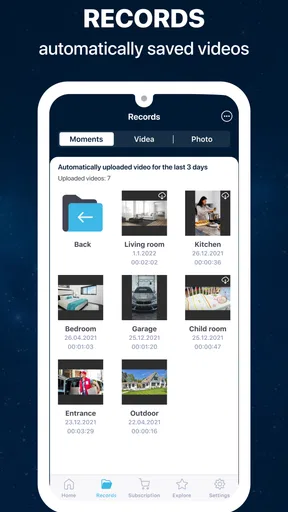
It’s also worth deciding in advance whether I need saved footage or only a live check-in. Keeping recordings can help when I need to look back at an event, but it asks me to consider where those clips are stored and how long I want them retained. Live viewing may suit a quick pet check better. I would not assume a phone-based camera replaces a complete security arrangement; it is best treated as one part of a home routine, not the only safeguard for a serious risk.
Who is likely to find it useful
This setup makes the most sense for someone with an unused phone or tablet, a modest monitoring need, and the patience to test the placement and notifications. It can also be a practical temporary option while away for a short time, provided the device can remain in position and the person setting it up is comfortable checking it remotely. If I were monitoring a space where reliability is critical, or wanted a camera to work as a permanent household fixture, I would compare dedicated equipment before relying on a spare phone.
People who find small touch targets, dense menus, or frequent phone interaction tiring should consider the whole routine, not just the initial setup. The screen used to check the camera may be easier to read than the spare device’s screen, but the app still depends on someone configuring and maintaining the camera phone. Asking a trusted person to help with the first setup can reduce that burden; it does not remove the need to keep the device positioned and working.
Have you ever felt the need to keep an eye on your home when you’re not around? Let me introduce you to ZoomOn Home Security Camera, the app that’s turning smartphones into security cameras. I’ve been using it for a while now, and I’m here to spill the beans on how it works and whether it’s worth your precious phone storage.
Setting Up ZoomOn
First things first, getting ZoomOn Home Security Camera up and running is a breeze. Just download it from the App Store or Google Play, and you’re halfway there. The app’s interface is intuitive, guiding you through the setup process without a hitch. I was pleasantly surprised by how quickly I got everything sorted—no tech degree required.
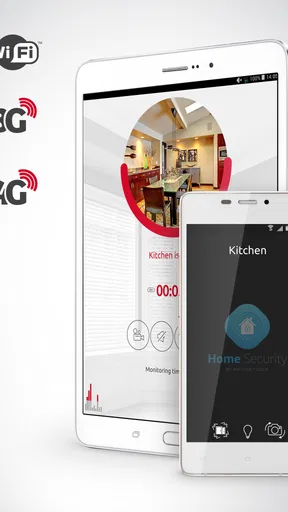
Once installed, you need to pair the app with the device you want to use as your security camera. You can use an old smartphone or tablet, and voilà, you’ve got yourself a home surveillance system. It’s like breathing new life into your old gadgets.
The Features You’ll Love
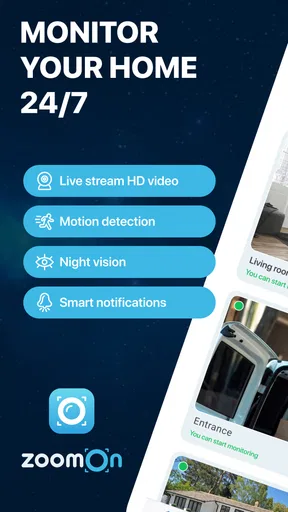
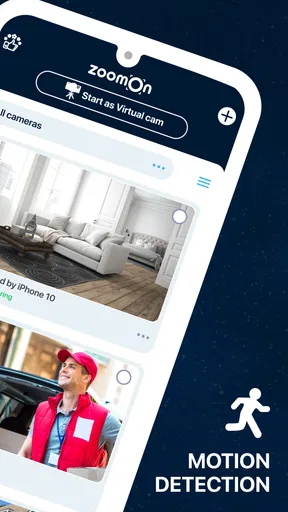
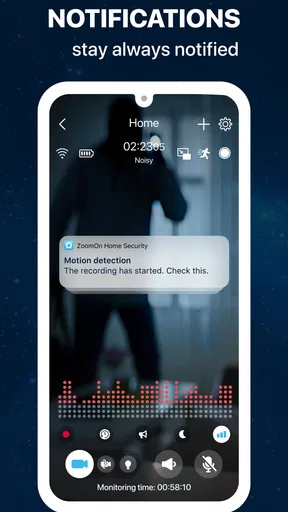
Let’s dive into what makes ZoomOn a standout choice. One of the coolest features is its motion detection capability. The app will alert you if it senses any movement, so you can relax knowing you’ll be notified of any unexpected visitors. The alerts are customizable, which means you won’t be bombarded with notifications every time a leaf blows past your camera.
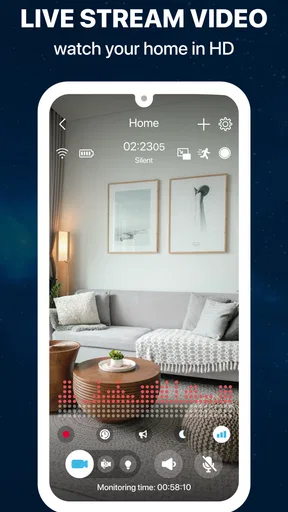
The app also supports live streaming, allowing you to check in on things in real time. Whether you’re at work or on vacation, you can see what’s happening at home directly from your phone. I found this feature particularly handy when I wanted to keep an eye on my pets. Watching them nap without a care in the world was oddly comforting.
Storage and Accessibility
Now, let’s talk about storage. ZoomOn offers cloud storage options, ensuring that your recordings are safe and sound. You can access these recordings anytime, which is great for reviewing any incidents or just making sure everything is in order. The app also supports local storage, so if you prefer keeping things on your device, that’s an option too.
Accessibility is another area where ZoomOn shines. The app’s user-friendly design means you don’t have to be a tech whiz to navigate it. I appreciated how everything is neatly organized, making it easy to find what you need without digging through menus.
Security and Privacy
In today’s digital age, security and privacy are top concerns. ZoomOn takes this seriously, offering encryption features to protect your data. The app ensures that only you can access your streams and recordings, giving you peace of mind. I’m not one to easily trust apps with my personal space, but ZoomOn’s commitment to privacy is reassuring.
Performance and Reliability
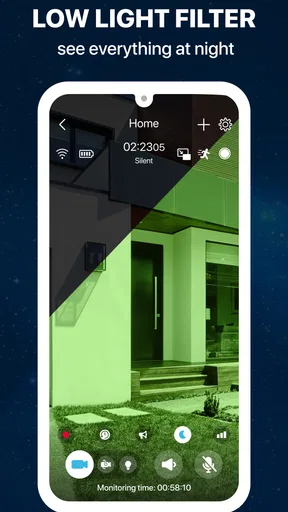
As for performance, ZoomOn doesn’t disappoint. The video quality is impressive, and the app runs smoothly without any hiccups. I’ve tested it under various conditions, and it holds up well, even in low-light situations. The app’s reliability means you can trust it to keep an eye out for you without constantly checking if it’s still working.
Battery usage is also worth mentioning. I was concerned about my phone’s battery life taking a hit, but ZoomOn is surprisingly efficient. Of course, using an old device as your dedicated camera helps alleviate any battery concerns on your main phone.
Inclusive use and remaining barriers
For me, accessibility is partly about whether a person can follow the setup without needing specialist knowledge and partly about whether the monitoring routine suits their circumstances. The simple pairing flow is encouraging, but a phone camera still needs someone to choose its position, keep it available, and respond to alerts. That may be manageable for one person and frustrating for another, especially if handling a spare device or making repeated adjustments is difficult.
Situational access matters too. Someone who is away from home but comfortable using a phone can benefit from a quick visual check, while a person who cannot easily interpret a small screen may find an audio or sensor-based alert more useful. I’d test the entire path—from noticing an alert to opening the stream—before depending on it. If another household member is meant to help, agree on where the camera points and who is expected to respond; shared expectations can prevent a useful tool from becoming a source of confusion.
ZoomOn is free to install and is rated for Everyone. It has a 4.1 average from around 11,000 ratings, with more than a million installs. The current version is 5.37, and it requires Android 8.0 or later. Optional in-app purchases range from about $0.49 to $74.99 per item, so I would check what is included before paying for anything. Those details make the app easy to try, but they don’t change the central question: whether a repurposed phone is a good fit for the job I need done.
Wrapping It Up
In conclusion, ZoomOn Home Security Camera is a fantastic solution for anyone looking to enhance their home security without breaking the bank. Its user-friendly interface, robust features, and commitment to privacy make it a solid choice. Whether you’re keeping an eye on your home, pets, or just curious about what goes on when you’re not there, ZoomOn delivers.
If you’re on the fence about turning your phone into a security camera, I’d say give ZoomOn a shot. It’s a small investment of time for a big return in peace of mind. And hey, it’s a great way to put your old devices to good use. Happy monitoring!
My inclusive verdict
I’d recommend it as a low-commitment way to try visual home monitoring, especially when an old phone is available and the task is simple: check a room, see whether a pet is resting, or get context after movement is detected. The strongest case is convenience, not replacing every other safety measure. Its motion alerts and live view are useful when the device is positioned thoughtfully, while saved recordings offer a different benefit for someone who needs to review what happened later.
I would skip it if I needed a dependable, permanently installed camera, a hands-off system that no one has to maintain, or an interface that can be confidently used without touching a phone. In those situations, dedicated hardware or a simpler sensor may be a better match. My practical advice is to try it first in a low-stakes room, adjust the camera angle and alerts, and see whether checking in feels comfortable. If that routine works for you, a spare device can become a genuinely handy extra set of eyes; if it creates more upkeep than reassurance, it is not the right solution.
Verdict
Strengths of ZoomOn Home Security Camera
- Easy setup and installation process.
- Real-time video streaming available.
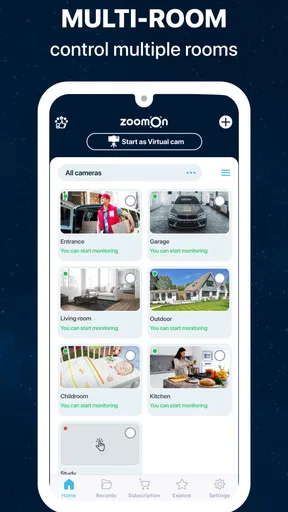
- Supports multiple camera connections.
- Motion detection alerts are customizable.
- Cloud storage options for recordings.
Limitations of ZoomOn Home Security Camera
- Requires a stable internet connection.
- Some features need a subscription.
- Limited free cloud storage space.
- Battery drain on continuous use.
- Occasional connectivity issues.
Similar Picks in This Category
View All
Universal TV Remote Control
CodeMatics Media Solutions3.9

AlfredCamera Home Security app
Alfred Systems Inc.4.7

Planner 5D: AI Home Design
Planner 5D4.5

Universal Tv Remote-Cast to TV
One Music Player4.1

Zillow: Homes for Sale & Rent
Zillow Group4.8

99acres Buy/Rent/Sell Property
infoedge.com4.3
Frequently Asked Questions
What features does ZoomOn Home Security Camera offer?
ZoomOn Home Security Camera provides real-time video surveillance, motion detection alerts, and two-way audio communication. Users can access live feeds remotely via their smartphones, ensuring constant monitoring of their home. The app supports multiple camera setups and offers cloud storage options for recorded footage, enhancing security and convenience.
Is the ZoomOn Home Security Camera app compatible with all devices?
The ZoomOn Home Security Camera app is compatible with both Android and iOS devices. It supports a wide range of smartphones and tablets, allowing users to monitor their cameras on-the-go. However, it's important to check specific device requirements on the app store to ensure compatibility with your particular model.
How secure is the ZoomOn Home Security Camera app?
Security is a priority for ZoomOn. The app uses end-to-end encryption to protect video feeds and user data. Regular updates are provided to address any vulnerabilities. Users are encouraged to use strong, unique passwords and enable two-factor authentication for added security against unauthorized access.
Does ZoomOn Home Security Camera require a subscription?
The basic features of ZoomOn Home Security Camera are free, but premium features like extended cloud storage and advanced motion detection require a subscription. Different plans are available to suit various needs, and users can choose based on their preferred level of service and budget.
Can I integrate ZoomOn with other smart home devices?
Yes, ZoomOn Home Security Camera can be integrated with various smart home systems. It supports compatibility with popular platforms like Google Home and Amazon Alexa, allowing users to control the camera with voice commands and create automated routines for enhanced home automation.
